From zero to a qualified list of YouTube gaming channels in one session. Here's exactly how it works.
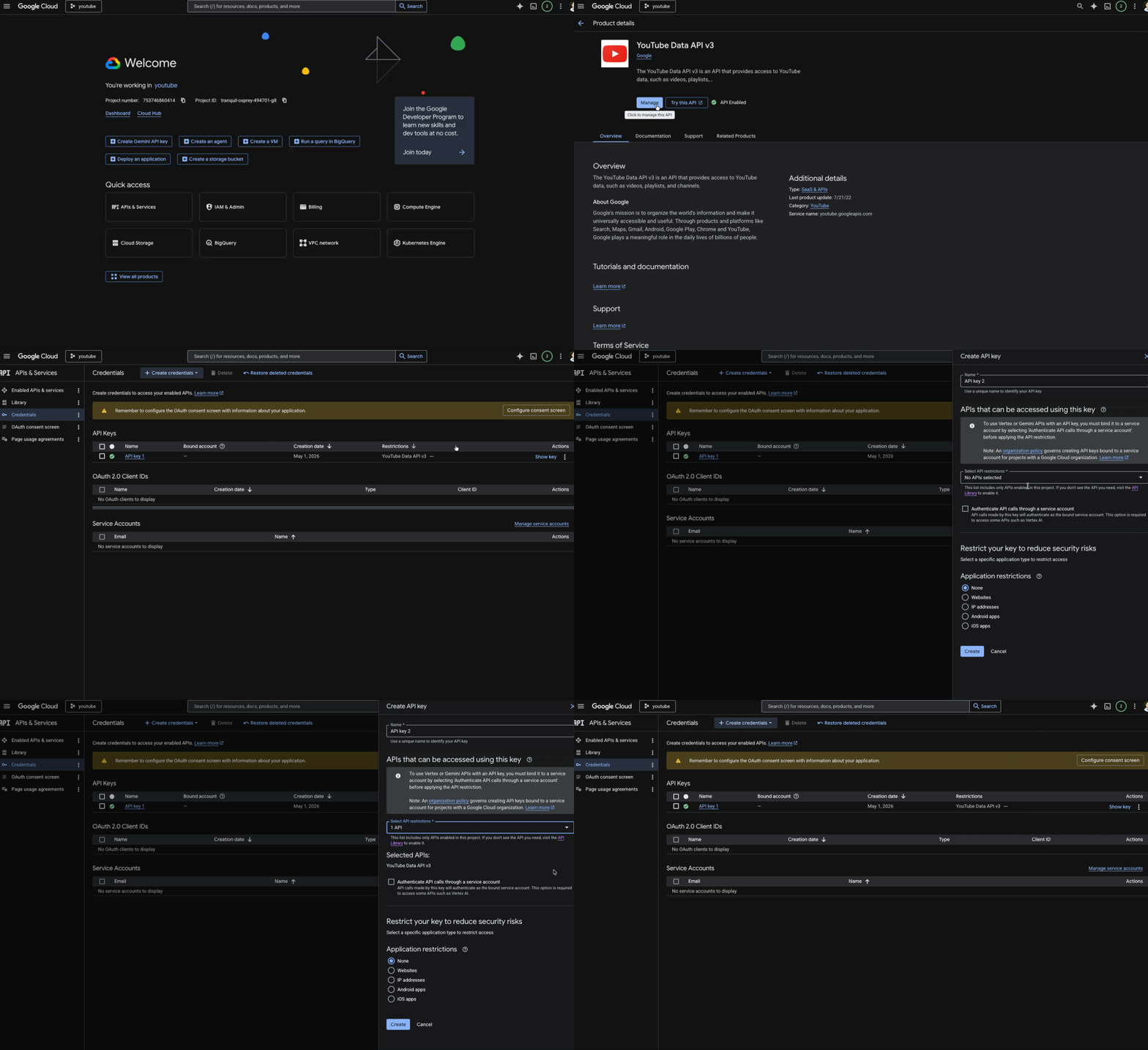
ChannelQuest pulls channel data from the YouTube Data API. You need a free key from Google — it takes about 3 minutes to set up.
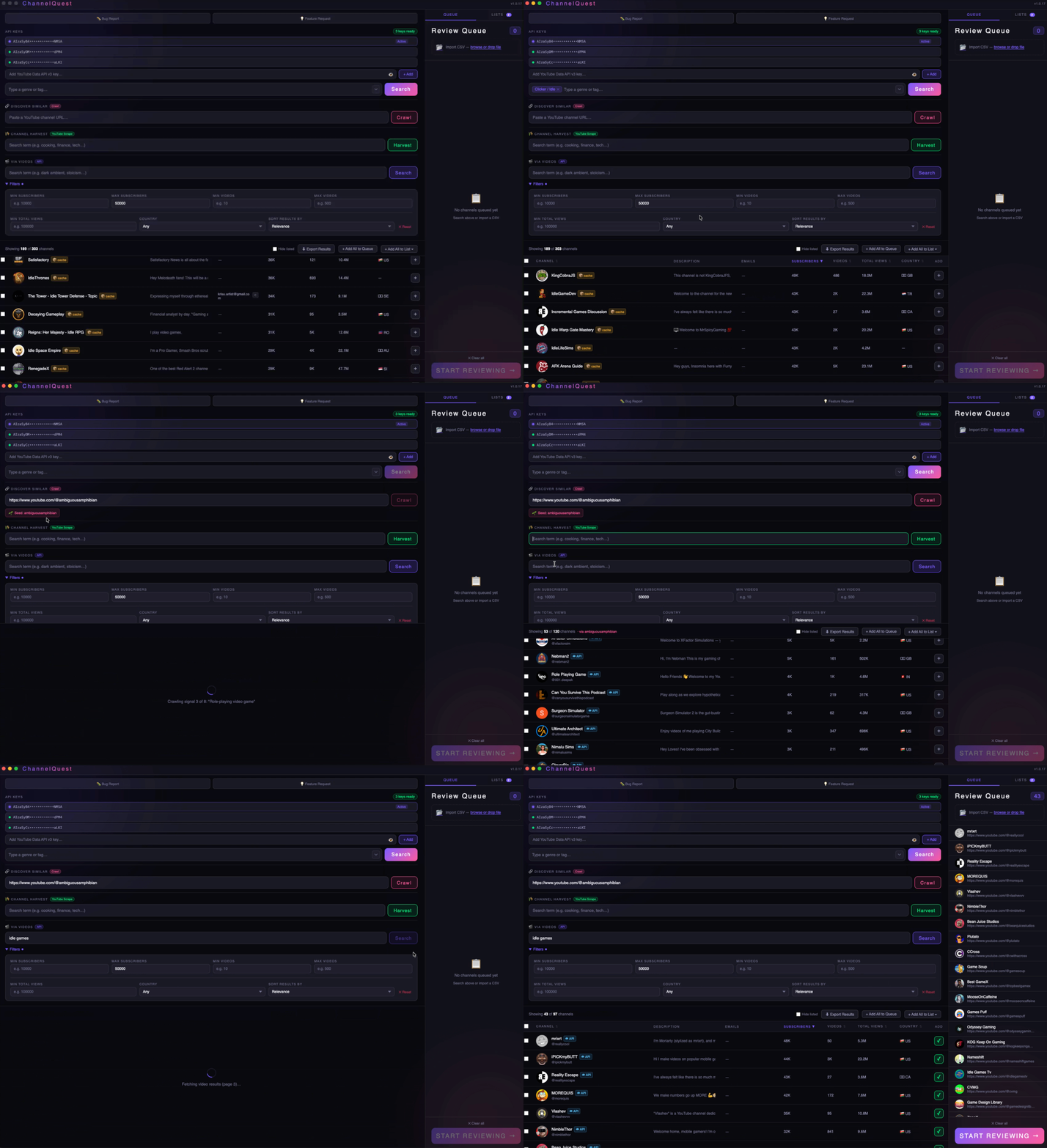
Three search modes depending on what you're starting with. Each one surfaces different angles on the same market.
Type genre tags — "indie platformer", "cozy games", "soulslike" — and hit Search. Returns up to 200 channels sorted by relevance, subscribers, or recency with full stats pulled from the API.
Enter a search term and the app finds YouTube videos about it, then extracts the channel behind each video. Best for finding creators actively covering a genre or game right now.
Paste any YouTube channel URL and the app crawls it to find similar creators. Great for seeding discovery from one channel you already know covers your genre.
Filter Results
Narrow down before reviewing so you only spend time on channels that actually fit your target. Every filter updates the table instantly.
Build Your Queue
Select the channels you want to review, add them to the queue, then launch. You can also import a CSV if you're starting from an existing list.
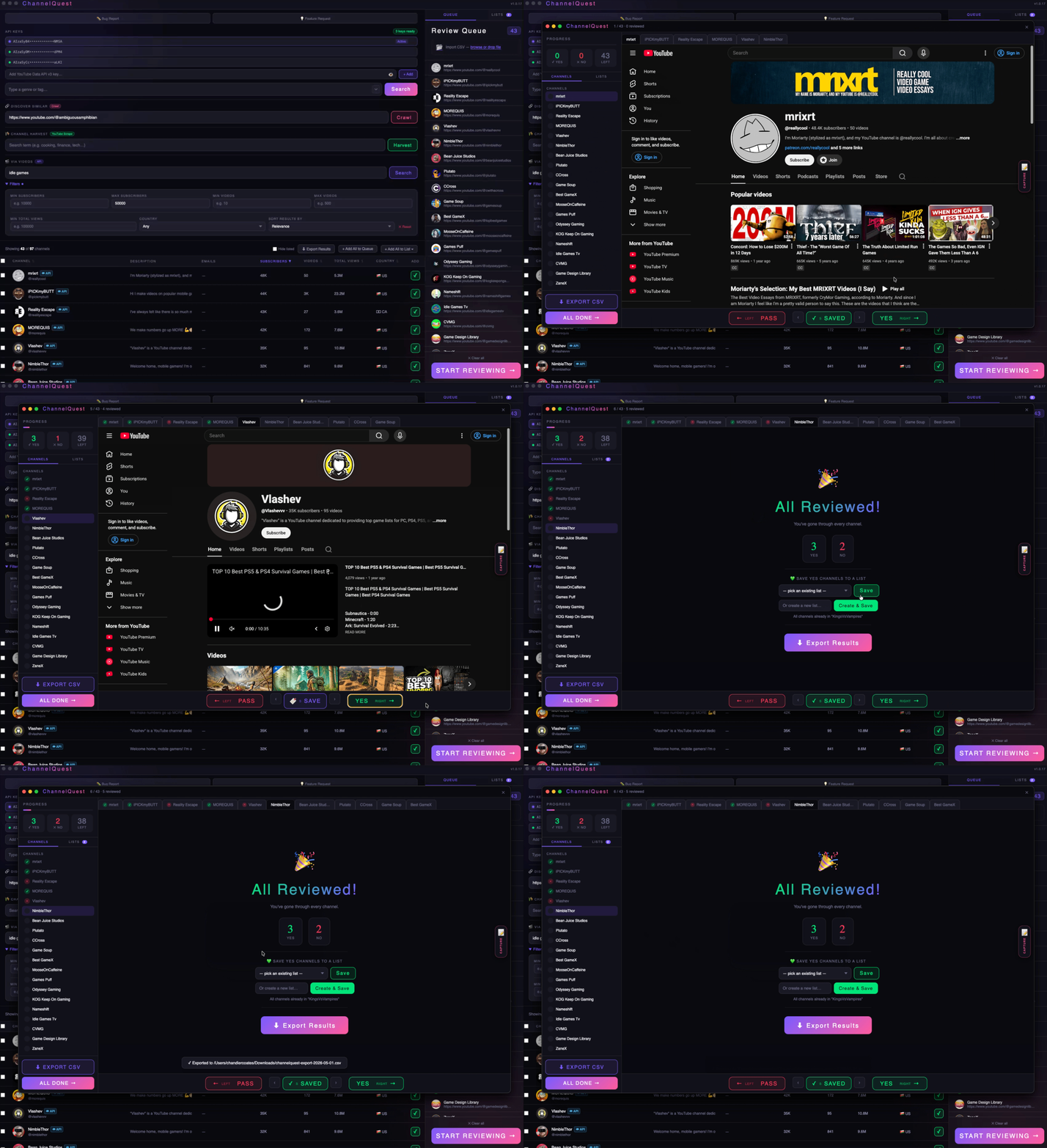
Each channel opens as a live YouTube page inside the app. Check their recent uploads, genre coverage, and About page — then make a call with a single keypress.
Capture (C key) — Highlight any text on the page first, then press C. If it contains an email address, it's saved to the channel's email field. Anything else becomes a note. No copy-pasting.
Save to Lists
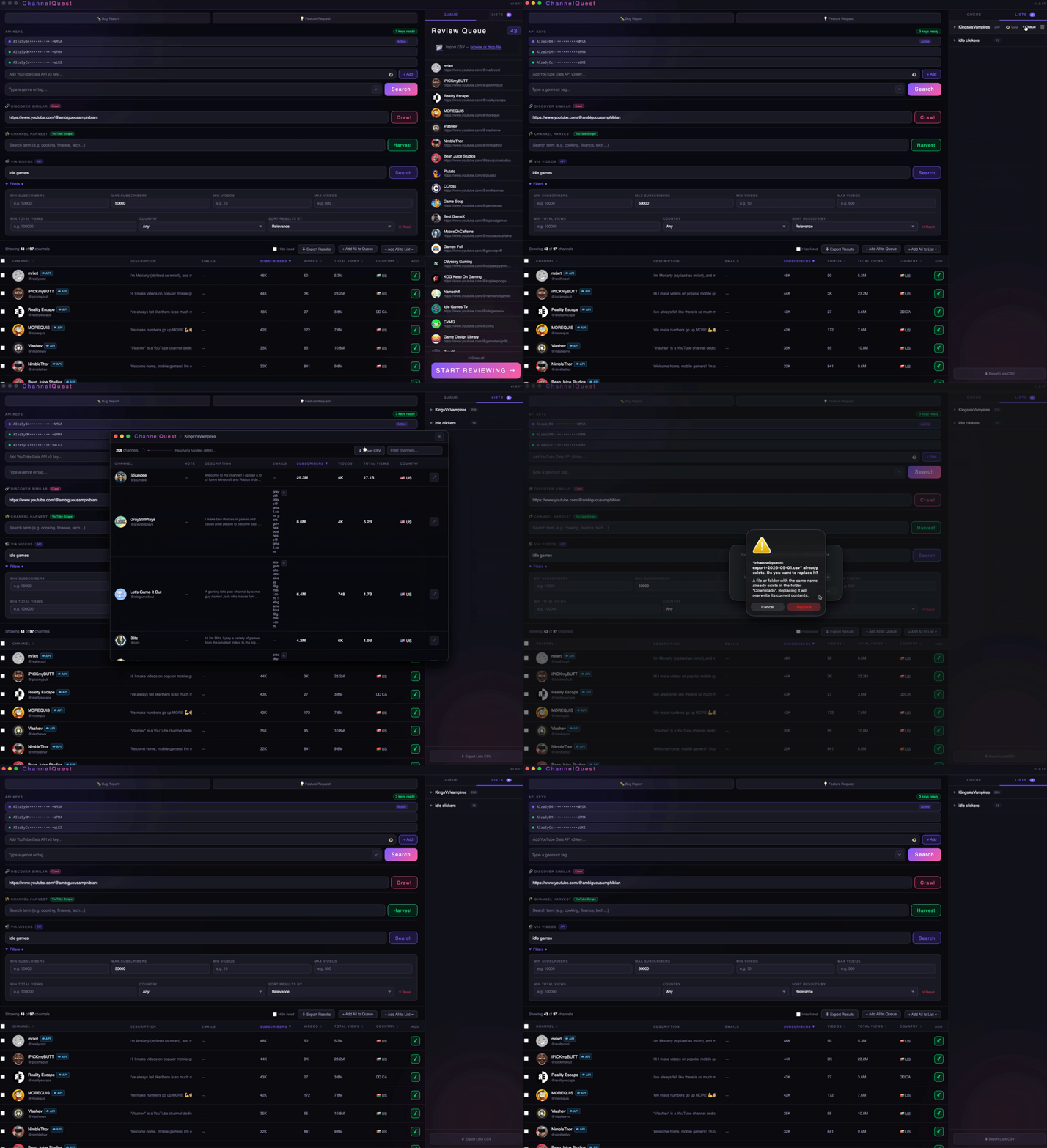
Save channels to named lists during review with the S key. Open any list in table view for a full sortable overview.
Export any list or your raw search results as a CSV and load it straight into your mail merge tool, Notion, Airtable, or email client.
Every CSV includes: